
As 2026 rapidly approaches, we have updated our template generator for the reMarkable, adding some new functionality, this now supports the colour feature of the reMarkable Pro and we have added a couple of features, that allow you to add annual events like birthdays and anniversarys and these will be written into your diary on those days. In addition, you can add weekly events, like ‘Meet Mum for Coffee’ @ 10am on Tuesday etc. These diary features do require you to edit the macro, but it is fairly self explanatory, and we expand on this in the training video.
To use the generator, download the MS Word document file here, it will download.
You should go to your download folder, right click the file and go to properties, then unblock the file. This will enable the macros option. You can then open it in MS Word, run the macro “CreateYearPlanner” and enter your details, select which sections of the planner you want. If you have a colour reMarkable, you can untick the Black & White button and have full colour.
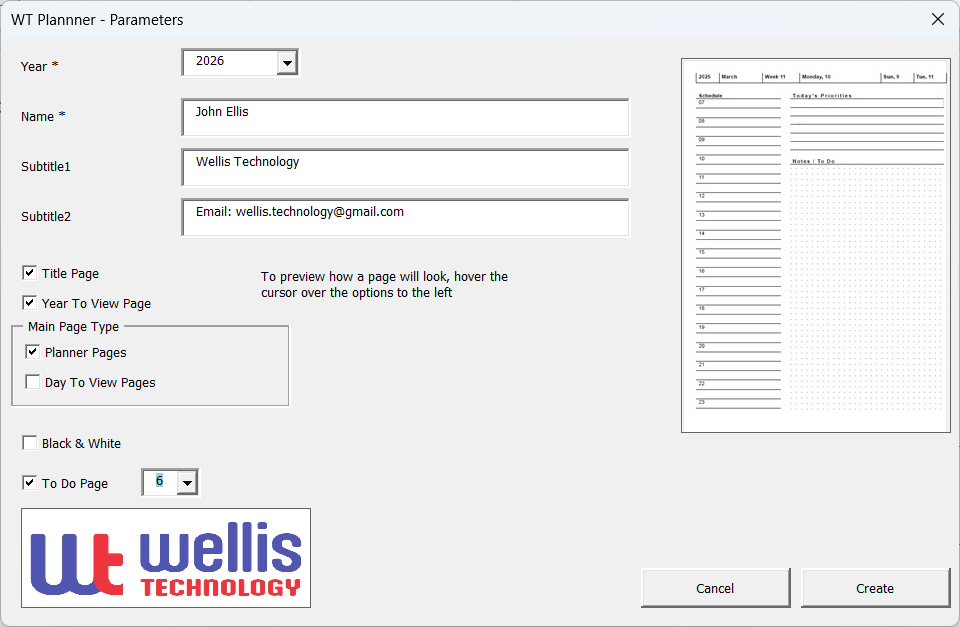
Click “Create” and the macro will run for 10-15 minutes (depending on your PC) creating each page. It is creating a page for every day of the year!
Save the outputted document as a PDF and Import this file into your reMarkable, and Viola! its ready to go.
You can of course edit the document before saving it, to add your own logos, add any diary appointments etc, to personalise it before saving it to PDF.
To use the generator, see our simple guide
If you have any ideas to improve the generator please let us know via our blog https://www.facebook.com/FreeRemarkableTemplates.
Here are the links to other articles we have written about the reMarkable and the Templates.